

TeamOS for Microsoft Teams
Keep your team’s Team Management Profile (TMP) insights working between sessions, inside the tool you already use every day.
TeamOS™ is available as an app in Microsoft Teams. It brings Oski, the AI coach, and your team’s TMP insights into a 1:1 chat and five personal tabs, so you can get coaching, prepare for meetings and manage your team without switching apps.
TeamOS extends the work you’ve already done with your TMP debrief or team workshop. It’s the same Oski and the same conversation as the TeamOS web app: start in Teams, pick up in your browser.
Get it from the Microsoft Teams Store (Microsoft Marketplace). You’ll need a TeamOS account using the same email as your Microsoft 365 login.
What you can do with TeamOS in Microsoft Teams
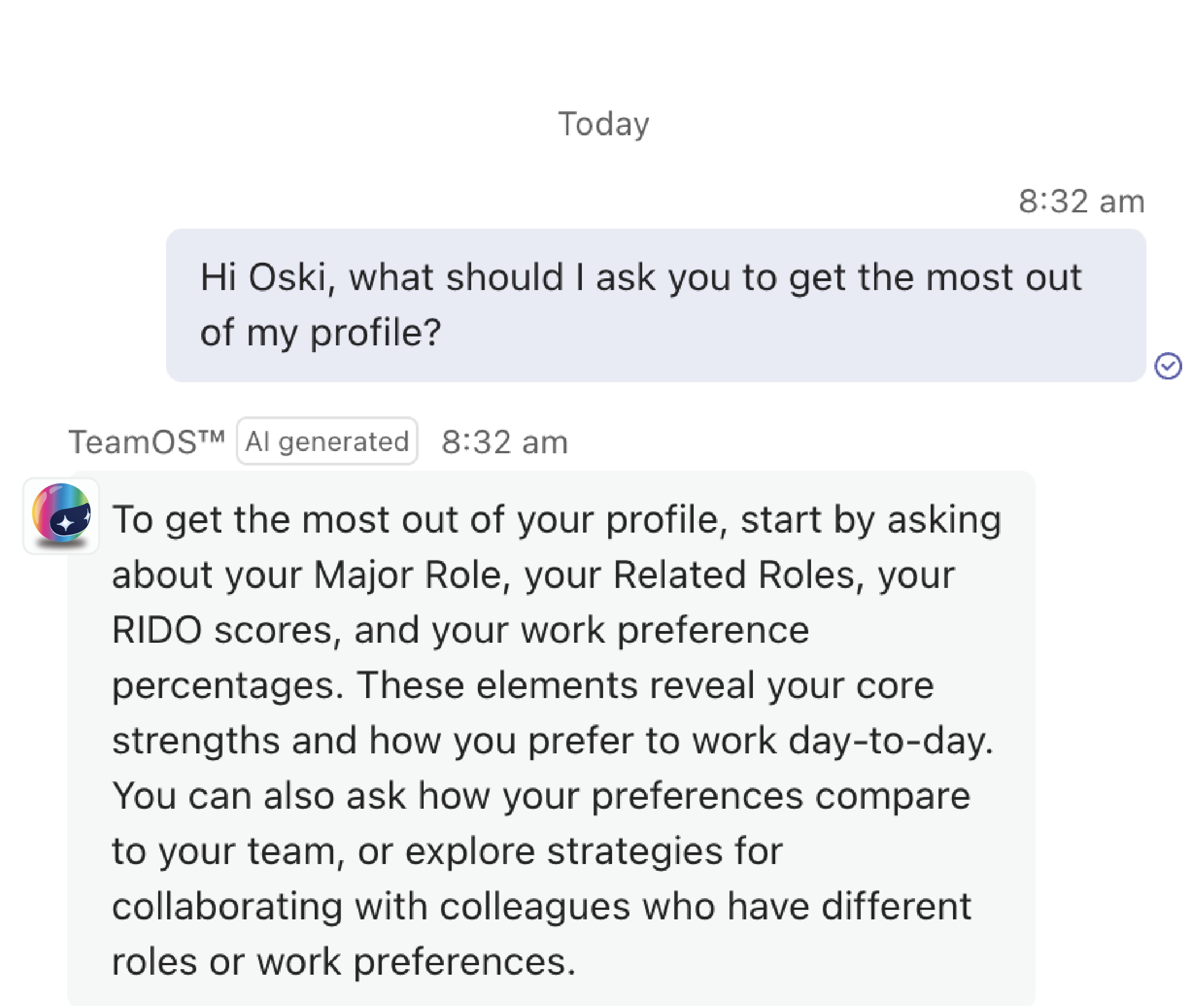
Oski draws on each person’s TMP to give coaching that fits how they prefer to work. In Teams, that coaching sits where your team already talks.
Make sense of your team’s TMP results
After a TMP debrief, the hard part is applying it day to day. Ask Oski about your team’s mix of work preferences, where the balance gaps are, or how to approach a specific situation. The Team tab shows your team’s mix at a glance, with a link to the full report in TeamOS.
Managers can also make team changes from the chat, such as adding members or sending a nudge. Oski proposes each action and you confirm it with a Yes/No card before anything changes.
Prepare for meetings
Before meetings with team members, Oski can send you a briefing with pacing tips for each team member: their major and related roles, how they prefer to behave, receive and share information in meetings, and potential areas for conflict. Briefings cover colleagues who have a TMP in TeamOS.
Automatic briefings are off by default. Each person switches them on in Settings, after a one-off approval from your Microsoft 365 admin. Without that approval, you can still look up colleagues by hand in the Meeting Prep tab.
Coaching for every team member
TeamOS in Teams isn’t only for managers. Team members can chat with Oski about their own profile, norms and development, or ask for help with a situation, such as “How do I approach a difficult conversation with a colleague?” Oski can also send check-ins and briefings.
Roll out TMP insights in the tool your organisation already uses
TMP insights stick when people can use them in their daily work. TeamOS is a standard Microsoft Teams Store app, so there’s no custom app upload. It works on Teams desktop, web and mobile, and most organisations need no admin approval to install it.
Each person uses their own TeamOS account under your organisation’s plan. Managers invite their team members, and each invitation counts towards your plan’s seats.
TeamOS in Microsoft Teams vs the TeamOS web app
Oski is the same in both places, and your conversation history carries across. Use Teams for daily coaching, meeting briefings and quick look-ups. Use the web app for assessments, full reports and account settings.
| Task | In Microsoft Teams | In the TeamOS web app |
|---|---|---|
| Chat with Oski | Yes, in a 1:1 chat | Yes |
| Conversation history | Carries across | Carries across |
| Your profile and team summary | My Profile and Team tabs | Yes |
| Full reports and Team Insights | “View full” opens them in TeamOS, already signed in | Yes |
| Complete your TMP | No | Yes |
| Organisation and billing settings | No | Yes |
| Source citations | Links shown as buttons; no inline source labels | Clickable inline citations |
Oski in Teams works in a 1:1 chat only, not in channels or group chats: it’s a personal coach. TeamOS works on Teams desktop, web and mobile, in Teams only (not Outlook).
For IT and Microsoft 365 admins
Approving TeamOS
Most organisations need no admin approval. If third-party Store apps are allowed, people can install TeamOS themselves. If your organisation restricts apps, allow TeamOS in the Teams Admin Center → Teams apps → Manage apps, or approve requests as people make them. It’s a standard Microsoft Teams Store app, so there’s no custom app upload.
Permissions and security
- Sign-in uses standard Microsoft single sign-on.
- The app connects only to teamos.tms.global and api.tms.global.
- It has no access to Teams channels, chats or files.
- Calendar access is the one exception, and it’s optional.
Data hosting and privacy
TeamOS data is hosted in Australia, and AI processing runs in Microsoft Azure Australia East. Read the TeamOS privacy addendum.
TeamOS for Microsoft Teams: frequently asked questions
Does TeamOS work in Microsoft Teams?
Yes. TeamOS is available as an app in the Microsoft Teams Store (Microsoft Marketplace), published by TMS Global. It brings Oski, the AI coach, and your team’s Team Management Profile (TMP) insights into a 1:1 chat and five personal tabs in Teams.
How do I add TeamOS to Microsoft Teams?
In Microsoft Teams, open Apps, search for TeamOS and install it. Oski posts a welcome card in a 1:1 chat, and Teams single sign-on links your Microsoft 365 account to your TeamOS account by matching your email.
What can Oski do inside Microsoft Teams?
Oski gives personalised coaching based on your TMP, answers questions about your team’s mix of work preferences, and sends check-ins and opt-in meeting briefings. Managers can also make team changes from the chat, confirming each one with a Yes/No card.
Can managers use TeamOS in Teams to debrief their team’s TMP results?
TeamOS supports managers after a TMP debrief. In Teams, managers can ask Oski about their team’s mix of work preferences and balance gaps, view a summary in the Team tab and open the full report in TeamOS.
How can HR and L&D teams use TeamOS in Microsoft Teams?
HR and L&D teams can put TMP insights into the tool their organisation already uses. TeamOS is a standard Microsoft Teams Store app that works on desktop, web and mobile, and each person uses their own TeamOS account under the organisation’s plan.
Does every team member need a TeamOS account to use Oski in Teams?
Yes. Each person needs their own TeamOS account using the same email as their Microsoft 365 login, and team members need a completed TMP. Accounts are part of your organisation’s plan: managers invite team members, and each invitation counts towards the plan’s seats.
Is TeamOS in Teams only for managers?
No. Team members can chat with Oski about their own profile, norms and development. Managers get the same coaching, plus tools to manage their team.
Can I see Team Insights in Microsoft Teams?
The Team tab in Teams shows your team’s mix of work preferences and balance gaps. The full Team Insights page opens in the TeamOS web app, already signed in.
Can I complete the TMP in Microsoft Teams?
No. You complete the TMP in the TeamOS web app. Once it’s done, Oski becomes available in Teams.
Can I use Oski in a Teams channel or group chat?
No. Oski is a personal coach and works in a 1:1 chat with each person. It doesn’t install into channels or group chats.
Do I need IT approval to install TeamOS in Microsoft Teams?
Usually not. If your organisation allows third-party Store apps, you can install TeamOS yourself. If apps are restricted, your admin can allow TeamOS in the Teams Admin Center or approve your request.
Can TeamOS read my Teams chats or files?
No. TeamOS has no access to Teams channels, chats or files. It connects only to teamos.tms.global and api.tms.global. Automatic Meeting Prep briefings use calendar access, which a Microsoft 365 Global Administrator must approve once for the organisation.
Where is TeamOS data stored?
TeamOS data is hosted in Australia, and AI processing runs in Microsoft Azure Australia East. See the TeamOS privacy addendum for details.
What languages is TeamOS available in?
TeamOS is available in English.